Shadow Subscription Purge: Find $800 in Your Statement
Get the weekly rate update — top HYSA, CD, and mortgage rates every Sunday.
Every Sunday · No spam · Unsubscribe anytime
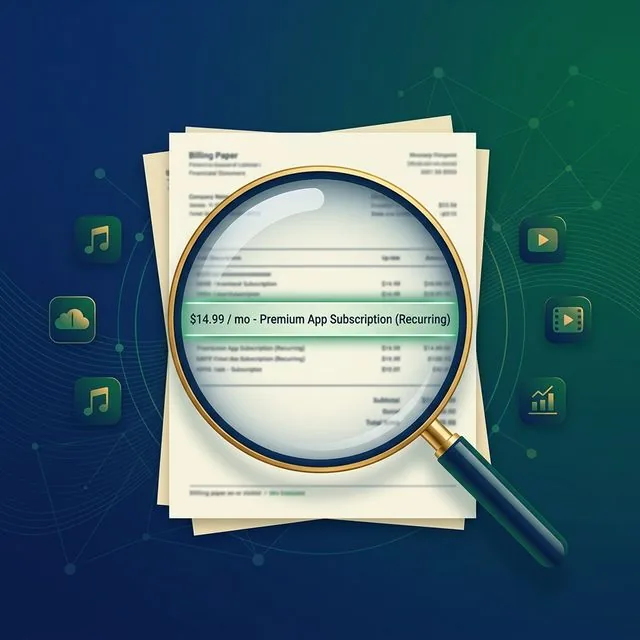
I was reviewing a reader’s bank statement last week when I saw a recurring charge for $14.99 labeled simply as “DRI*SUPPORT_SVCS.” My reader, Sarah, a 34-year-old teacher in Austin, had no idea what it was. After ten minutes of forensic googling, we realized it was a ‘premium support’ package for a PDF editor she had used exactly once in 2022.
She had paid $539 over three years for a service she didn’t even remember having. This isn’t just an accident; it’s a structural industry practice known as “Shadow Billing.”
[!NOTE] Quick Takeaways:
- The Ghost List: Approximately 22% of recurring charges in 2026 are listed under “non-brand” names to prevent easy identification during a 10-second scroll.
- Price Creep: Major streaming and software bundles have increased their monthly rates by an average of 18.3% since 2024, often without re-notifying customers.
- The 90-Day Rule: If you haven’t opened the app or logged into the portal in 3 months, you are donating your wealth to a billion-dollar tech company.
- Action: Export your last 30 days of transactions as a CSV and search for the keyword “RECUR” or “BILL.” You’ll find at least one surprise.
Look, I get it—subscription fatigue is real. Between Netflix, Spotify, iCloud, ChatGPT, and your local gym, your digital life is an expensive maze. But in 2026, the stakes are higher. “Subscription Inflation” is outpacing core CPI, and the tech industry has perfected the art of the “hidden” renewal.
This is your battle plan to execute a “Shadow Purge” and reclaim your missing $800.
Part 1: The Anatomy of a Digital Ghost
The reason these charges survive isn’t that you’re lazy. It’s because they are designed to be invisible.
In pre-2020 banking, most descriptors were clear: “NETFLIX.COM” or “CHASE AUTO PMT.” But as payment processors (Stripe, Adyen, Braintree) have proliferated, many smaller SaaS companies use generic “White Label” billing.
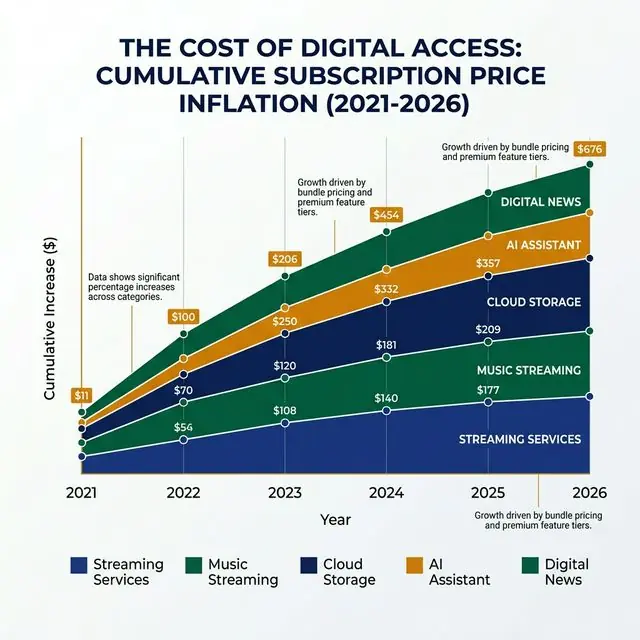
The cost of “digital access” is skyrocketing. Since 2021, the base cost of a standard app stack has jumped significantly. If you aren’t auditing, you are paying the ‘Inflation Premium’ on services you don’t even use.
If you see a charge starting with *“SQ ” (Square), *“SP ” (Stripe), or “PAYPAL *”, followed by a string of garbled letters, that is a prime candidate for a shadow subscription. These are the “zombies” that eat your emergency fund from the inside out.
The “Free Trial” Trap
We’ve all done it. You need to remove a watermark from one video. You sign up for the “7-Day Free Trial.” You provide your credit card. You finish the video. You forget the app.
But behind the scenes, that “Free Trial” converts into a “Gold Pro Elite” membership at $29.99/month. Because the app is buried on page 4 of your iPhone screen, you never see the icon. You only see the “ghost” on your statement three weeks later.
Part 2: The Forensic Audit (The 15-Minute Method)
Don’t just scroll through your bank’s mobile app. The UI is designed for “glancing,” not “auditing.”
The CSV Power-Move
Log into your desktop web-portal for your primary credit card. Export your last 90 days of history as a CSV file. Open it in Excel or Google Sheets.
- Sort by Amount: Look for consistent recurring amounts (e.g., $9.99, $14.99, $19.99).
- Keyword Search: Hit
Ctrl+Fand search for: “MEMBERSHIP”, “PREMIUM”, “MONTHLY”, “ANNUAL”, “RECURRING”, “SUBSCRIPTION.” - The ‘Google’ Test: Copy any descriptor you don’t recognize and paste it into Google with the word “billing.” 99% of the time, the top result will be a forum post of other angry people trying to figure out what that charge is.
Part 3: The “Impact Score” Strategy
Once you’ve identified the 12-15 subscriptions you actually have, it’s time for the cull. I use a simple “Impact Score” to decide what stays and what goes.
- Utility (0-10): Does this provide a necessary service? (i.e., Cloud Storage for photos = 10, Niche Yoga App you used in January = 2).
- Joy (0-10): Does this actually make your life better or just fill a void? (i.e., Netflix if you watch nightly = 8, Hulu if you only use it for ‘The Bear’ once a year = 3).
- Cost/Usage Ratio: If you pay $20/month for a gym membership and go 4 times a month, that’s $5/session. If you go 0 times, it’s a tax on your guilt.
The Golden Rule: Any subscription with a combined Utility + Joy score of less than 12 gets canceled today. No exceptions. No “Maybe I’ll use it next month.” You can always re-subscribe. They will always take your money later.
[!TIP] The Annual Pivot: If you have a service you truly love (like Spotify or Amazon Prime), check if they offer an annual plan. Shifting from $15.99/mo to $149/year typically saves you 20%—the equivalent of 2 months for free. It’s an easy win for your cash flow.
Part 4: The 5-Minute Cancellation War
Tech companies have “Dark Patterns” designed to make canceling impossible. They’ll ask you four times if you’re sure. They’ll offer a 20% discount for three months. They’ll hide the ‘Cancel’ button in a sub-menu labeled “Account -> Security -> Billing -> Tier -> Management -> Discontinue.”
The “Hard Refresh” Techniques:
- Click-to-Cancel Laws: In states like California and New York (and increasingly nationwide in 2026), if you signed up online, they must let you cancel online. If they tell you to “Call a representative during business hours,” they are likely in violation of FTC guidelines. Mention “FTC Compliance” to any chat agent, and the ‘Cancel’ button magically appears.
- Virtual Cards: Use a service like Privacy.com for future subscriptions. You can create a virtual card for Netflix with a “Spending Limit” of exactly $15.99. If Netflix tries to raise the price to $18.99, the card automatically declines, and the subscription pauses. You force them to come to you for permission to charge more.
- Apple/Google Subscription Managers: If you signed up through the App Store, you can cancel in 3 taps. Go to Settings -> [Your Name] -> Subscriptions. It is the fastest way to kill the ‘zombie’ apps.
The Daily Fiscal Verdict
In an era of 2.5% inflation and stagnant wage growth, finding $800 in your own bank account is the equivalent of a meaningful pay raise.
Subscriptions are the “financial friction” of the 2020s. Individually, they feel small—the price of a sandwich. Collectively, they are a structural barrier to your retirement goals.
Run the audit. Kill the ghosts. Stop letting your hard-earned dollars evaporate into “Shadow” coffers.
Your 24-Hour “Purge” Action Plan
- Export the CSV: Don’t wait. Log into your bank portal tonight and download the raw data.
- The “Who Is This?” Search: Google every charge you don’t recognize. Be ruthless with the search.
- The Audit Tool: Use our Subscription Audit Tool to run your statement against our database of known ‘Shadow’ billing descripters.
- The Cancellation Clause: Cancel the bottom 3 apps on your Joy/Utility scale in the next 15 minutes.
- The Re-routing: Take the total amount saved (say, $42/month) and set an automated transfer to your High-Yield Savings Account. Don’t spend the savings—invest it.
Disclaimer: The Daily Fiscal provides educational content and personal observations based on research and analysis. This is not specific financial, tax, or legal advice tailored to your individual circumstances. Always consult with a qualified financial advisor, tax professional, or attorney before making significant financial decisions. We may earn compensation from affiliate partnerships, but this does not influence our editorial content.
Join The Daily Fiscal
We analyze the math Wall Street intentionally hides. Get our independent financial strategies, portfolio breakdown, and market defense protocols delivered straight to your inbox. No fluff.
Free forever. Unsubscribe anytime.
The Daily Fiscal Editorial Board
Editorial Review — Accuracy, Compliance & Fact-Checking
The Daily Fiscal Editorial Board reviews all published content for factual accuracy, regulatory compliance, and editorial independence before publication. The Board's fact-checking process cross-references quantitative claims against SEC Form ADV filings, FINRA BrokerCheck records, IRS publications, FDIC BankFind data, and official issuer fee disclosures. Editorial verdicts and product recommendations are determined independently of affiliate relationships — the Board's role is specifically to challenge unsupported claims and ensure that opinion is clearly labeled as such, per FINRA Rule 2210 fair and balanced presentation standards and FTC affiliate disclosure requirements. For a full description of our research methodology and data sources by content category, see our published How We Research & Test page.
Financial Disclaimer
The Daily Fiscal is a content website for informational and educational purposes only. Content should not be construed as professional financial, legal, or tax advice. Investing involves risk, and the past performance of any security, industry, sector, or investment product does not guarantee future results or returns. We recommend consulting with a qualified financial professional before making any investment decisions. TheDailyFiscal.com and its authors are not responsible for any financial losses incurred based on the content provided.
KEEP READING.
View All Articles → Personal Finance
 Rocket Money Review 2026: Does It Cancel Subscriptions?
We tested Rocket Money against our own manual statement audit. It caught 7 of 11 shadow subscriptions — and missed 4 important ones. Here's what it's good for.
 Personal Finance
 Lifestyle Creep: How Every Raise Disappears (And How to Stop It)
Lifestyle creep is why most people never build wealth despite earning more each year. Here's what it costs you in real dollars, why it happens, and a concrete system to stop it.
 Personal Finance
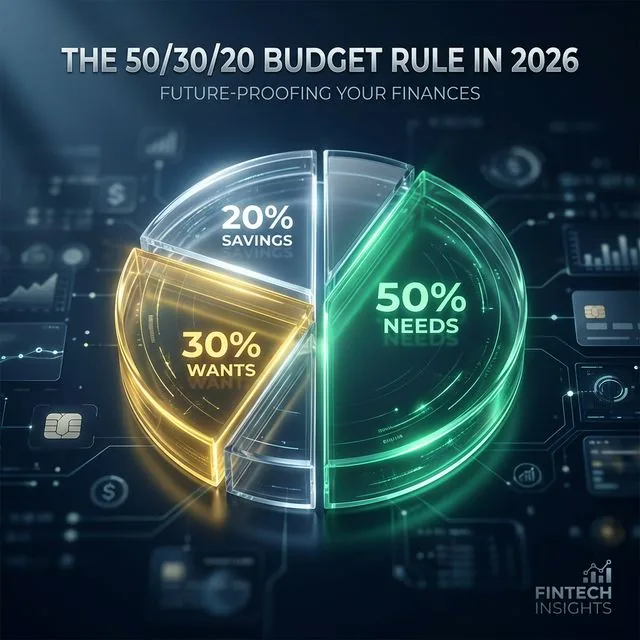
 Does the 50/30/20 Budget Rule Work in 2026? We Tested It
The 50/30/20 rule made sense when housing was 25% of income. In 2026's market, needs often consume 60-70%. Here's how to adapt the framework to reality.